



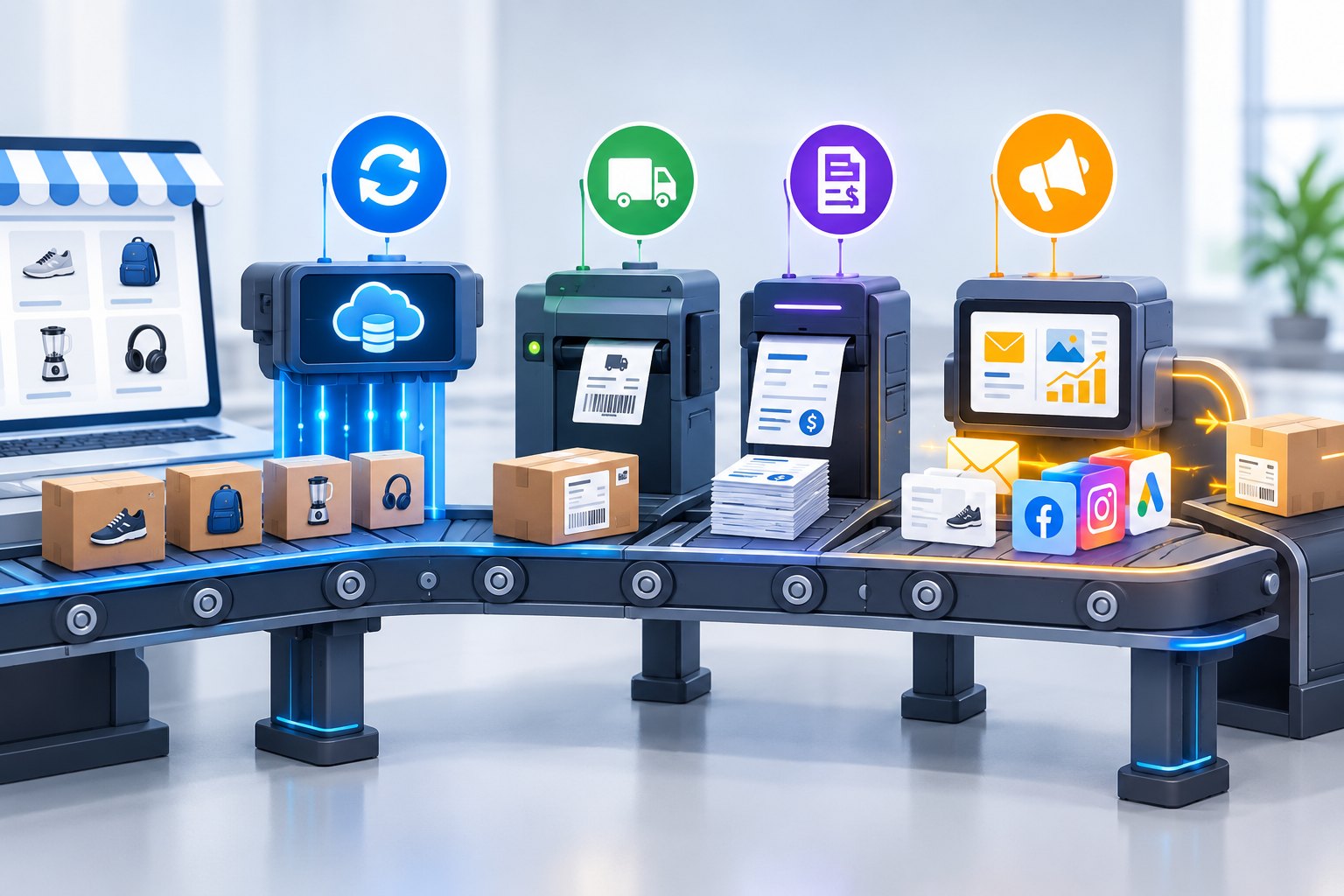
With many of our clients we see how much manpower the daily running of a webshop consumes – and that time is taken away from other, more important work. Let’s be honest: we developers are prone to spending hours shaving even a few minutes off a repetitive process. That may sound excessive at first, but for a task done ten times a day, those minutes add up to days over a few months. And since AI arrived, building these automations has become simpler and far faster.
We have collected a few examples from four areas where the most time can be won back – and at the end we show the tools that make them possible.
Uploading and syncing product data
The same effort for 100 or 100,000 products
If you have ten products, managing them by hand makes perfect sense. Beyond that, though, it matters a great deal how long it takes to list every product or to update the data that keeps changing: prices, sale periods, stock and the like. Ideally it is exactly the same amount of work for 100 products as for 100,000: a few clicks, or not even that, because it happens on its own.
Ask your supplier for the data
If you buy from a distributor that keeps product data, ask them how they can make it available to you. After that, all that is left is to write the rules of the automation – which piece of data goes where, what happens to new, discontinued or sold-out products – and you never have to touch it again. Pricing can be automatic too: our Summa Pricing plugin, for example, calculates the selling price from the purchase price and a target margin, and updates it by itself whenever the purchase price changes.
Listing new products with AI
When listing a new product, AI can be your best helper. It gathers everything that matters to you from the web – manufacturer details, specifications, ingredients – and turns it into a product description in your shop’s own tone of voice. At most, you have to approve the result.
Stock intake from a single invoice
When goods arrive, a single supplier invoice or delivery note is enough to update your stock levels. The system reads the line items, matches them to the products in your shop and updates the stock – all you have to do is check the numbers. Most recently we set this up for vitaminlabor.hu, a multi-brand shop buying from several suppliers.
Order handling: one click instead of many
For the physical picking and packing of orders, dropshipping companies, warehouse robots or very enthusiastic student temps can help. On the administrative side, however, every order comes with a series of repetitive steps:
- registering the parcel with the shipping partner,
- printing the label,
- issuing the invoice and sending it to the customer,
- and finally moving the order to the right status.
Where needed, this can be extended with inventory management or an integration with an ERP (enterprise resource planning) system.
All of these steps can be put behind a single click – even for several orders at once. With a few dozen orders a day, that is not a matter of minutes any more, but easily of hours.
Marketing: campaigns from a template
A campaign is made of a thousand small steps
Creating and running marketing campaigns is hard work. Once you have the concept – a weekend sale, volume discounts, a giveaway in exchange for a newsletter signup – you have to design its look, then create matching elements with their own copy on every single channel. After that you have to make sure they guide the shopper along exactly the path you planned: the homepage banner leads to the right catalogue page, and after signing up the shopper gets the right message – the coupon code, or the confirmation that they have entered the giveaway. And all of it has to be timed: launched, and just as importantly, taken down on time.
In-house or with an agency?
You either keep these tasks in-house or hand them to a marketing agency. The agency may or may not hit your shop’s tone of voice, and may or may not nail the design. The point is that since they do not know your company as well as you do, you will not necessarily get what you had in mind.
A template and a logic – AI does the rest
AI can help a lot here as well. All you need is a template and a logic, and AI produces the banners, menu items, redirects, newsletters and social media content to go with it – in a fraction of the time it would take you, and at a fraction of what an agency would charge.
We do not want to belittle the work of agencies. There are very good ones that did excellent work before AI too, and know how to use AI the right way. If you have a good marketing team, hold on to them and give them as much work as you can – in that case, automation frees up their time for the truly creative tasks.
Monitoring: your own dashboard
There are countless ways to measure how your shop is doing: number of orders, profit per product, subscribers, visitors or even supporters. But which figure matters most to you, and where can you check it?
Don’t have one? Build your own! Have a page you can open from anywhere that always shows your current numbers – without having to gather them by hand from several different systems every morning.
How can all this be done?
Behind the automations above there are typically three kinds of solution, and in most projects they work together.
Sending data files
The simplest route is a data file that is updated regularly. The supplier or partner provides products, prices and stock in a CSV, XML or Excel file – at a permanent link, by email or uploaded to a server – and the webshop reads it on a schedule and updates its data according to the rules you have written. It works with almost any supplier, and it needs no serious development on their side.
API connection
When two systems need to talk to each other in real time, an API connection is the tool for the job. That is how an order reaches the courier, how the invoice is issued automatically, and how a webshop stays in sync, to the minute, with an ERP system or a supplier’s inventory. If you want to know what an API actually is, we explained it in an earlier post using a chocolate vending machine.
AI helps build it
AI does not just write the content – it also helps build the automations themselves. What used to take days of development – processing an unfamiliar file format, connecting a new API, reading the line items of an invoice – now gets done in a fraction of the time, because the rules can be put into plain sentences and AI takes care of the mechanical part. Responsibility and checking still stay with us, of course: we test every automation before it starts working live.
Where to start?
| Area | What takes time today | Automated |
|---|---|---|
| Product data | Entering products by hand, updating prices and stock | Rule-based import of supplier data, AI-written descriptions, stock intake from invoices |
| Order handling | Parcel registration, label, invoice and status change for every order | A single click, even for several orders at once |
| Marketing | Banners, menu items, newsletters and social posts for every campaign | Built from a template and a logic, scheduled |
| Monitoring | Collecting numbers from several systems | Your own dashboard, available from anywhere |
Think about which repetitive process in your company’s current admin work takes up the most time. It can almost certainly be automated.
If you would like some help – even just for brainstorming – from a team that has already built automations for many companies, get in touch with us. Which process would be first on your list?